athartanveer31, Author at Entech Systems

Why Business IT Support is Essential for Small Businesses

Owning a small business is exhilarating. You’re creating your own thing, providing value for your customers, and pursuing growth. However, in today’s digital age, every business rests on technology, regardless of its size.  Every day, your operations rely on devices, networks, and software, from customer data to payment systems. And here’s the reality: when technology malfunctions, your business grinds to a halt.  This is why there is business IT support. Think of it as having a trusted partner keeping your systems running, securing your data, and ensuring you are ready for the future. For small businesses, IT support isn’t a luxury; it’s a necessity. Why Small Businesses Can’t Ignore IT Support Many small business owners will either try to manage IT themselves or hand it off to the staff who appear to be most “tech-savvy.”  This may be sufficient for a short period of time, but as your business grows, so does the risk associated with allowing untrained and inexperienced people to handle IT. A system failure, lost data, or cyber event won’t just ruin your day; they will have an impact on your reputation and can cost you customers.  Small business IT support provides you with peace of mind, and you no longer have to worry about the consequences of these risk factors. Instead of wasting time resolving issues, you can spend your time doing what you do best: running your business.  IT professionals have the right tools, knowledge, and strategy in place to have everything connected, safe, and working properly. Managed IT Services: A Smarter Choice One of the most effective ways to get reliable support is through managed IT services for small businesses. Instead of calling for help only when something goes wrong, managed services provide ongoing support. Your systems are monitored, updated, and maintained around the clock. Here’s what that means for you: Less downtime. Problems are fixed before they disrupt your business. Better security. Firewalls, backups, and antivirus tools protect your data. Predictable costs. You pay a flat monthly fee instead of unpredictable repair bills. Scalability. As your business grows, your IT support grows with you. For many small businesses, managed IT services are more cost-effective than hiring an in-house team. You get enterprise-level support at a fraction of the price. The Role of Small Business IT Consulting IT support isn’t just about fixing issues; it’s also about planning ahead. That’s where small business IT consulting makes a difference. A consultant looks at your business goals and designs an IT strategy that supports them. For example:  If you’re expanding, they’ll recommend systems that scale. If you handle sensitive customer data, they’ll set up compliance and security. If your team works remotely, they’ll build a safe, reliable network. Consulting turns IT from a headache into a growth tool. Instead of reacting to problems, you’re making smart, future-ready choices. Common IT Challenges Small Businesses Face To understand why small business IT services are so valuable, let’s look at a few common challenges: Cybersecurity Threats: Cybercriminals do not just target Fortune 500 companies; they target small businesses, too. Oftentimes, those small businesses are even more vulnerable, as they often do not have the same level of protection as larger corporations. Data Loss: It only takes one hardware failure or one accidental deletion, and all of your important documents and files could be gone. Downtime: A few hours of downtime can result in revenue losses or loss of customer trust. Outdated Technology: Outdated systems are slower, more prone to breaking, and expose you to more risk. Limited Expertise: Typically, small teams either do not have the knowledge or time required to properly evaluate and distribute software and IT systems. Without the proper help, all of these issues will compound and eventually take their toll on every aspect of your business. But with the right IT support, all of these challenges become manageable, or even avoidable. How Business IT Support Helps You Grow Let’s be clear: IT support is not just about solving problems. It’s about giving your business a foundation for growth. Here’s how it helps: Automated updates, cloud storage, and network monitoring save time. Strong security builds confidence with your clients. Remote support means help is only a call away, no matter where you work. You and your team can stay focused on customers instead of computer issues. When IT works seamlessly, you don’t notice it. And that’s the goal: technology should support your growth, not slow it down. Why Choose Managed IT Services for Small Businesses If you’re a small business owner, you might wonder whether outsourcing IT is the right move. Here’s why many businesses make the switch: Expertise without hiring. You get a full team of IT specialists without paying salaries, benefits, and training costs. Proactive care. Instead of waiting for systems to break, issues are fixed early. Affordable solutions. Managed IT services for small businesses are designed to fit smaller budgets. Peace of mind. You know your business is protected 24/7. It’s like having a reliable safety net—only smarter, faster, and tailored to your needs. Choosing the Right IT Partner Not all IT providers are the same. When looking for business IT support, ask yourself:  Do they understand small business challenges?  Do they offer 24/7 support?  Can they scale with my business?  Do they provide both support and consulting? The right partner doesn’t just fix issues—they become part of your team. They’ll learn your business, recommend the right tools, and support your long-term success. Conclusion Technology serves as the backbone of every business. When it comes to small businesses, one of the smartest things you can do is invest in the right small business IT services. Whether it is managed IT services with consulting, and/or on-demand support and projects for support, having those types of partners protects your business and allows for business growth. At Entech Systems, we believe IT support should feel simple, reliable, and human. It is important to speak your language, to fix problems fast, and to help you accelerate


IT Consultancy London, Expert Support to Transform Your Business in 2026

In this fierce competition of the digital world, UK businesses have a long way to go if they rely just on technology. They need the correct technology, the correct strategy, and the correct support. IT consultancy London services precisely provide this and more, offering the companies specialised support to be always safe, efficient, and at the forefront of the technology curve. Particularly small and medium-sized enterprises (SMEs) have it much easier if they work together with the right IT consultants. They can expect to see their productivity increase, their systems run smoothly, and experience digital growth over time. Entech System provides total IT consulting support in London, guiding companies from hopeless situations to simple and expandable solutions. The blog to follow lists the reasons why IT consultancy is a must, the most important services for 2025, and how Entech System supports London businesses with practical, tailored, and future-ready solutions. Why IT Consultancy Matters for Modern London Businesses London is an international center for finance, retail, technology, law, real estate, and creative industries. Every industry is technology-driven to a very large extent. However, year-on-year rapid transformations such as cloud migration, cybersecurity problems, automation, and AI acceptance make it hard for businesses to stay abreast of technology changes. Thus, IT consultancy London services prove to be indispensable.   Main business obstacles of the present times:   The ongoing cyber threats and data losses   The old infrastructure that is hampering the operations   The problems related to remote and hybrid work   The compliance and the GDPR requirements   The need for automation and integration   The costly inefficiencies that result from a poor IT strategy   IT consultants enable organizations to transition from “reactive IT” to “strategic IT.” Rather than remedying situations after they arise, the consultancy concentrates on planning, prevention, and long-term enhancements.   What Are the Advantages of IT Consultancy Services in London Over Hiring an In-house Team? Recruiting a complete in-house IT unit is not only costly but also a lengthy process. For many SMEs, it is not viable. On the other hand, consultancy has very large benefits:   Affordable You pay exclusively for the services you require. Salaries, training, and other overheads are not included.   Access to Professionals The consultants have the whole range of skills that come from years of working in different industries and with different technologies.   Quick Implementation The consultants can set up the new systems, carry out data migration, and deal with problems in the shortest time.   Preemptive Problem Solving The consultants will detect the possible risks ahead of time, and these will not result in costs for the company.   Support That Grows with Your Business The consultancy will be able to grow along with your business as it will be able to scale. Why Entech System Is the Right IT Consultancy in London Entech System stands out among IT consultants in London because we focus on practical, efficient, and scalable solutions. We don’t just tell you what to do; we help you implement it the right way. Our Approach: Understanding your business first Providing customised recommendations Implementing systems end-to-end Offering ongoing support Ensuring long-term digital success We work with businesses across: Retail Finance Healthcare E-commerce Education Real estate Legal and professional services Hospitality Tech startups With a dedicated team, Entech System delivers reliable IT consultancy services in London that fit unique business requirements. Top IT Consultancy Solutions We Offer  IT Infrastructure Assessment We conduct a full audit of your existing systems to find gaps, risks, and opportunities for improvement. Cloud Migration & Support We help businesses transition smoothly to the cloud with minimal downtime.  Cybersecurity & Data Protection From threat monitoring to compliance, we secure your entire digital environment. Business Automation & AI Tools We help you optimise workflows, reduce manual work, and use AI tools for better efficiency.  Software Implementation We assist in selecting, installing, and managing the right software for your industry. Ongoing IT Support 24/7 remote and onsite support tailored to your needs. How IT Consultancy Helps Your Business Grow A strong IT strategy has a direct impact on business performance. Better Productivity Faster systems + automated processes = smoother daily operations. Reduced Costs Improved infrastructure prevents downtime, data loss, and wasted resources. Stronger Security Your business stays protected against cyber attacks. Improved Customer Experience Better systems lead to faster service and higher customer satisfaction. Scalability Your tech grows as your business grows. For London businesses, technology is no longer optional; it’s the backbone of long-term success. Conclsuion  Technology is evolving every day, and businesses that fail to adapt risk falling behind. Working with trusted IT consultants in London ensures your systems stay modern, secure, and ready for future growth. Entech System provides tailored, reliable, and forward-thinking IT consultancy services that London businesses can trust. Whether you need digital transformation, cybersecurity, automation, cloud migration, or ongoing IT support, our experts are ready to help.

Futureproofing IT: 7 Key Steps Every Small Business Should Take

In today’s business climate, remaining competitive is entirely dependent on how well a company can adapt to digital change. An effective IT strategy goes beyond fixing issues; it also helps organisations grow, protect their data, and maintain agility for the future. In this article, we will examine seven critical areas that will help to prepare your IT processes to meet tomorrow’s requirements. We’ll also demonstrate how managed IT support services can help smaller organisations design agile, strong, and cost-effective systems that will readily meet tomorrow’s opportunities. Let’s jump in. Why Futureproofing IT Matters Technology is a core element of every business, whether it’s for everyday operational use or how you’ll handle customers. The catch is that technology changes rapidly. What worked yesterday may be irrelevant today.  Many small businesses experience some of the same headaches: outdated processes, crippling tech bills, and not having the right skilled people to support their technology needs. If you disregard any of these issues, you’re not only slowing down your business, but you are also creating voids for a growing business opportunity. To future-proof your technology means you want to build a system that all your tech can adapt to. It can easily scale with your business, integrate new technology like AI, and protect you from increasing cyber threats. Managed IT support services allow small to medium-sized businesses to stay ahead of the curve without breaking the bank. 1. Securing the Right Resources Holding firm to the growth and demand of your business, an increasing amount of IT demands could pose new problems. More devices, more users, and more support tickets could exceed the local team’s capacity. Hiring trained IT staff is expensive and takes time as well, which can create holes in work that can lower productivity.  Outsourcing is the smarter solution. Using managed IT services, you gain access to fully trained engineers who will help with user onboarding, systems updates, help desk requests, and so on. Long-term support contracts will achieve the resources needed at the cost of fully hiring the IT staff. 2. Building Scalable Systems The expansion of your organization can put a significant strain on your IT infrastructure.  For an on-premise server, there may come a point when it’s just incapable of storing any more data or tolerating higher traffic.  Without an elastic infrastructure, you could be risking downtimes, decreased response, and performance times.  You can quite easily end up with a lot of unhappy customers who were just trying to buy your product. Cloud-based platforms like Microsoft Azure can help, giving you the best of both worlds, with both scalability and a pay-as-you-go approach. Resources can be added or taken away quickly based on demand. And then also, with modularity, cloud-based solutions can help you build modifications with the use of container tools, like Docker. Therefore, while using resources, it’s easy to extend system features or integrations without doing a lot of complex architectural design changes. With the right IT partner, you can add scalability smoothly and seamlessly without interruption to those who use your business tools.  3. Prioritising Connectivity When systems are not interconnected, they slow things down. Take, for instance, a standalone CRM that does not connect with your accounting software, adding unnecessary friction. Your teams have to spend time transferring data manually, which is also prone to mistakes. Interoperability is the answer! Leveraging APIs and middleware to connect your systems allows your data to flow from one platform to another seamlessly. Not only will this save your team’s time, but it will also enable real-time data analytics and automation. Then, when your systems can communicate with one another, your staff can work faster and smarter.  4. Controlling IT Costs Out-of-control expenses in IT will deplete any budget. Hardware costs to maintain, software licenses to pay, and downtime to recover from, combined, add up quickly. Even worse, shadow IT, employees using unapproved tools, complicates this issue even further. Smarter expense management is the solution. Start with tools that can track and manage the total cost of ownership and discover potential areas of waste (unused software licenses and old hardware). Consider switching to the cloud, as most subscriptions will create better monthly predictability. The best of all options, and for small businesses, managed IT services eliminate unpredictable expenses and help you stay in budget by creating fixed network service fees for services provided and consumed. 5. Strengthening Cybersecurity Cyberattacks are no longer a challenge only for large organisations. Small businesses are often targeted because they have weaker defences. Cyberattacks from phishing, ransomware, and data breaches can cause significant financial and reputational damage.  To maintain safety, build a multi-layered protection program: –  Encrypt data in both storage and transit. –  Use multi-factor authentication for all devices. –  Keep all systems and software patched with updates. –  Implement next-generation firewalls and endpoint detection systems. –  Follow a zero-trust policy where you verify all access attempts.  Outsourcing any of these aspects would be a valuable resource for many small businesses and, overall, provide the most reliable means of ensuring your institution is monitored/protected against cyber intrusions 24/7. 6. Embracing Automation Repetitive tasks, such as logging tickets, processing invoices, or updating spreadsheets, are a drain on valuable time and increase the likelihood of errors. Automation tools eliminate these headaches. For example, Microsoft Power Automate can integrate your accounting system with email triggers and approve invoices almost instantly. Robotic Process Automation (RPA) can automate more complex workflows, such as compliance checks. By automating repetitive processes, you can free up your team to spend time on high-value strategic work that drives growth. 7. Investing in Skills and Strategy Technology is evolving fast, and your organization needs the right skills to keep pace. If your IT staff are not continually trained, you risk them spending their time reacting to issues, not thinking about innovations. Encourage them to pursue certification programs such as Microsoft Azure Administrator or CompTIA Security+. Or engage an external provider that can inject expert knowledge directly into your organization. From cloud

What is DMARC, and How Does It Work?

When you send an email from your company, you expect it to arrive safely in someone’s inbox. Unfortunately, not all emails are real and are sent by real people. Hackers try to impersonate you with tactics like phishing or spoofing. They take over your domain name, send fake emails to your customers, and attempt to impersonate your organization.  This is where DMARC comes in! Think of it like a dog guarding your email system. Here, we will explain DMARC, we will tell you why it is important, and we will explain how it protects your business. Why Businesses Need DMARC In any modern-day business, there is a dependency on email – whether it is to send out updates, invoices, or responses to customers. Using an organizational domain, such as @yourcompany.co.uk, gives an air of professionalism while also enabling trust. The issue lies with the fact that criminals can send out fake emails to customers and use that same domain. If a customer receives an email that appears to be from you and is therefore fraudulent, your reputation is damaged. Rebuilding trust is a challenging task. DMARC can greatly reduce the risk of this happening. It will ensure that only real emails from your business domain are delivered and all fake emails are blocked or marked as spam. The Building Blocks: SPF and DKIM Before we get into DMARC, we need to talk about two other security tools: SPF and DKIM. Think of them as the foundation that DMARC builds on. What is SPF? SPF (Sender Policy Framework) is similar to having a list of guests at the door of your party. Only those guests may enter. Your IT team creates a list of servers that it trusts will send email messages for your domain. When you send an email, the receiving server looks to see if that server address is on the list, and if so, the email is allowed to go forth – if not, the message is flagged for suspicious activity.  SPF helps prevent random spammers from sending emails to your customers pretending to be you, but it does not discern what happens to your message after it is sent from the sending mail server. This is where DKIM comes into play.  What is DKIM? DKIM (Domain Keys Identified Mail) can be compared to placing a wax seal on the envelope of a letter you will send. If a recipient receives your letter, and the seal is broken, they will naturally suspect something was altered.  Here’s how DKIM works: Your domain creates a special digital signature (like a unique fingerprint) that is placed on all sent messages. A signature is included in the message that has just been sent, and when it arrives at its destination mail server, the receiving mail server looks for that signature. If the email has been modified or altered between departing the sending mail server and arriving at the receiving mail server, the signature will not verify, the message will be flagged in the receiving mail server, and therefore will not be delivered to its intended recipient.  So SPF checks who is sending the message. DKIM checks “what” is being sent. In conjunction with each other, they create a strong defense.  Enter DMARC: The Enforcer Now comes DMARC (Domain-based Message Authentication, Reporting and Conformance). DMARC brings SPF and DKIM together and adds a layer of control. Think of DMARC as the referee. It looks at the results of SPF and DKIM checks and decides what to do with suspicious emails. As the domain owner, you make the rules. For example: Allow the email, but send a report.  Put the email into the spam folder.  Reject it completely so it never reaches the inbox. DMARC also gives you reports so you can see who is trying to misuse your domain. This insight helps you tighten your security even more. Why DMARC Matters for Your Business Cybercriminals are clever, and email is one of their favourite tools. Reports show that around 95% of breaches happen because of human error, often through phishing emails. Without DMARC, your business is an easy target. But with DMARC, you:  Protect your customers from scams.  Build trust by making sure emails come from the real you.  Keep your brand reputation safe.  Gain visibility into how your domain is being used. In short, DMARC is not just a tech tool; it’s a business safeguard.  Common Myths About DMARC Many businesses avoid DMARC because they think it’s too complex or unnecessary. Let’s clear up a few myths: Myth 1: SPF and DKIM alone are enough.   Not true. Without DMARC, you have no control over what happens when checks fail. Myth 2: DMARC blocks all emails at once.   False. DMARC is flexible; you can start with “report only” mode and build from there. Myth 3: Small businesses don’t need DMARC.   Wrong. Hackers don’t just go after big companies. Small businesses are often easier targets. How to Get Started with DMARC The good news is, setting up DMARC doesn’t need to be scary. Here are simple steps to begin: Publish SPF and DKIM records for the domain. Create a DMARC record with a basic policy (like “monitor only”).  Examine the reports you receive, seeing where the risks come from.  Gradually tighten, from quarantine to rejection.  Continue monitoring and changing as necessary. Working with an IT or cybersecurity provider to complete this process is seamless and safe. A Fresh Way to Think About Email Security Most people see email security as just another tech task. But at Entech Systems, we see it differently. We believe DMARC is a way to protect relationships between you and your clients, your staff, and your community. When people know your emails are real, they trust your brand more. And when you trust your systems, you can focus on growing your business instead of worrying about threats. Conclusion While DMARC, SPF, and DKIM may seem to be technical terms, together they create a simple message: Your emails are your

What is a Firewall and Why Does It Matter?

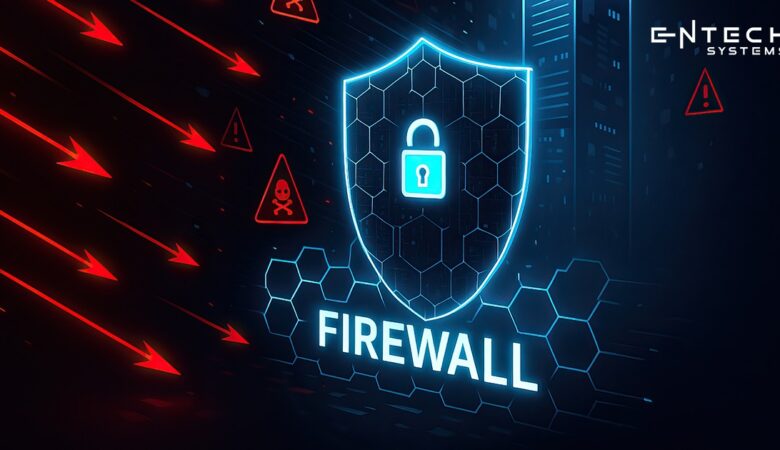
And in the current global digital world, cyber threats of all kinds are increasing exponentially. Each day, companies face the risk of damaging hacking events or malware, and, of course, data breaches. For some businesses, a cyber attack can be devastating, leading to monetary loss, thousands of hours of labour being destroyed, and destroyed trust with customers. The only bright light of hope for a company facing these risks is tools, with one of the most important being a firewall. Firewalls do most of their work behind the scenes; however, they are often one of the strongest defenses your organization can have on its networks. Let’s discuss a bit more about what a firewall is, how it protects your organization, and why it is so important for every company today. What is a Firewall? A firewall acts like a security guard for your network. It expects everything coming and going from your network and only permits safe traffic through. If something suspicious comes along, firewalls stop it. Think of the firewall as a fence between you (the internal) and the rest of the world (external). Without it, you essentially have a big, wide-open network that is exposed to anyone who has access to the internet. With a firewall, you have a level of control, security, and peace of mind. Firewalls are used in both home and business settings. They protect personal information, customer data, and company systems. For organizations that deal with data containing sensitive information, a firewall is not a choice; it is a requirement. Why Do We Need Firewalls? Firewalls protect against more than just hackers. & they help in many different ways: They stop strangers from entering your network without permission. They prevent employees from visiting unsafe websites. It detects risky behaviour and blocks harmful applications. They reduce the risk of social engineering attacks where people trick staff into sharing data. And they stop malware from spreading across your system. To sum it all up, firewalls do more than just block threats. They offer control, protect your network, and foster confidence in customers’ feelings that they deserve the security of their own data. Different Types of Firewalls There are varieties of firewalls, and depending on your situation, you may use one type or a combination of them. 1 . Packet Filtering Firewall: This prevents access to packets of information (small bits of data) based on rules (source, destination, etc.). 2 . Stateful Firewall: This checks not only if the packet might have attacked your network, but also checks if it belongs to an established connection (so more than just packets).  3. Application Layer Firewall: This reviews and examines the data at the application layer (for some suspicious web requests, etc). 4. Proxy Firewall: This sits between the internet and your network (acting as an intermediate layer). It can hide your ownetwork’s internal systems. As stated above, many firewalls only offer one or two functions. Some systems are referred to as gateways, such as a gateway that combines multiple firewall functions (layered security).  How Does a Firewall Work? A firewall can be a physical device or a software program. Once installed, it constantly scans and filters traffic. If the traffic looks safe, it gets through. If it looks harmful, it is blocked. You can think of it like airport security. Everyone passes through a check. If you’re safe, you continue your journey. If not, you’re stopped right there. In a business network, firewalls are always on guard. They protect emails, files, transactions, and all digital communication. Without them, your organisation could be exposed to major risks. Why Studying Firewalls is Important Understanding firewalls is not just for IT experts. Anyone using the internet benefits from knowing how they work. Here’s why: Cyber threats can happen to anyone, not just large businesses. A firewall will protect your personal devices at home. Businesses can avoid significant financial loss with a properly configured firewall. If teams understand firewalls, they will make better decisions about cybersecurity.  In other words, studying firewalls can provide a safe place in a connected environment. The more you know, the more you will protect yourself and your business.  Conclusion  Cybersecurity is not optional! With the threats online increasing every day, a firewall is one of the best ways you can defend yourself. It protects you like a shield, behaving like a barrier that keeps access to your network location safe from hackers, malware, and harmful activity.  At Entech Systems, we believe that strong technology protection begins with awareness. Firewalls are not difficult to understand, but when you know how to use them, they are a powerful tool that can distinguish between a safe business and a vulnerable business. If you are serious about protecting your data, a firewall is a great first step. It is not just a technology, it is peace of mind.

Faster School WiFi, Better Learning: How to Improve Internet in Classrooms

Why Good WiFi Matters in Schools? Let’s uncover this in today’s blog. Every classroom uses the internet. Students watch videos, search online, and participate in classes via Zoom or Google Meet. Teachers share homework, notes, and tests online. Without fast internet, everything slows down. If the WiFi is weak, students cannot learn well. Pages take a long time to load. Videos stop in the middle. This makes students lose focus. Teachers get stressed. Learning becomes hard. That is why schools need to know “how to get good WiFi at school” and how to make it strong for all.  Common Problems with School WiFi Many schools face the same issues. Here are a few: Too many devices Every student has a phone, tablet, or laptop. The network gets full. Old routers  Old WiFi tools cannot handle modern needs. Poor placement Routers in corners or locked rooms give weak signals. Blocked websites Some blocks stop learning apps by mistake. Slow internet plans Cheap plans may not give enough speed. This is why many ask: How to get better internet at school? How to make school WiFi better? And how to get WiFi in school that works for everyone? How to Get Good WiFi at School Here are steps schools can take: Upgrade Internet Plans Schools need an internet connection that matches the number of users. If 500 students use WiFi, a small plan will not work. Ask your provider for more speed. This is the first step in “how to get good internet at school”. Place Routers in the Right Spot A router in one corner will not cover the whole school. Place them in open areas. Add extra routers in large halls or labs. This is an easy way to “how to make school WiFi better”. Use Modern Routers New routers support faster speeds. They can handle more devices. If your school has old tools, replace them. This is one of the best answers to *how to make school WiFi faster*. Secure the Network Open networks let anyone join. Too many users slow it down. Set passwords. Create a network for students, and a separate one for teachers. Regular Check-ups Check your WiFi once a month. Restart routers. Update software. Small fixes can keep the network strong. How to Make School WiFi Faster When schools ask “how to make school WiFi faster”, here are some simple tips: Remove devices that are not needed. Stop background downloads. Use wired internet for computer labs. Turn off WiFi on devices not in use. Block non-learning apps like heavy games or movies. Even these small steps can help students enjoy smooth lessons. How to Get WiFi in School if None Exists Some small schools still do not have WiFi. Here is how they can start: Talk to providers  Ask local companies about school packages. Many give discounts to schools. Government grants Some areas have programs that support internet in schools. Mobile hotspots Until full WiFi is set up, mobile hotspots can help This answers the common search, “how to get WiFi in school”. Why Better Internet Improves Learning Good WiFi is not just about speed. It changes how students learn. With better internet: Students can join online classes with no delay. Teachers can share big files and videos fast. Classrooms can use smart boards and apps. Students can research in real time. Parents can stay updated with online systems. This shows why schools should not ignore the question, “How to get better internet at school”. Role of Digital Solution Providers Schools may not know how to set up the best WiFi. This is where network solution providers help. They test the school building. And they check how many devices need internet. They design the right plan. With expert help, schools do not have to guess “how to make school WiFi better”. They get a system that works for all. Conclusion Good WiFi is no longer a luxury in schools. It is a need. Slow or weak internet can stop lessons, lower focus, and waste time. But strong WiFi makes learning smooth, fast, and fun. Schools can take simple steps: upgrade their plans, use modern routers, and place devices in the right spots. For bigger schools, working with a digital and network solution provider is the smartest move. Experts know how to test, plan, and build WiFi that works for every student and teacher. So, if you are asking “how to get better internet at school” or how to make school WiFi faster, the answer is clear: invest in better tools, make smart changes, and get help from experts. With the right setup, every classroom can enjoy fast WiFi and better learning every day.

Dark Web Monitoring: How to Act When Your Data Is Leaked

Is your business data for sale right now? This is the question every business owner should ask. Because in today’s world, cybercrime moves quickly. One leaked password or stolen login credential can be enough for a hacker to gain access to your systems. If you are reading this, it’s likely because you’ve heard about a Dark Web Alert, or you’re worried your information is on the dark web. At Entech System, we want to make this simple: knowing what matters, what doesn’t, and what steps to take next can save your business from real damage. What Is the Dark Web and Why Should You Care? Think of the internet as three parts. The surface web is what you use every day: Google, websites, and social media. The deep web includes private databases and password-protected systems. The dark web is a hidden part of the internet that can only be accessed with special software like Tor. Not all dark web activity is illegal. However, it’s the primary location where stolen data, including leaked login credentials, financial information, and business secrets, is sold or exchanged. If your data appears there, criminals can buy it within minutes. That’s why Dark Web Monitoring isn’t just for large corporations; it’s essential for any business that uses email, stores customer information, or processes payments. What Is Dark Web Monitoring? Dark Web Monitoring is like having a guard searching hidden corners of the internet for your data. At Entech System, we use tools and threat intelligence to scan places where stolen data is shared. We look for: – Email addresses – Login credentials (usernames and passwords) – Credit card numbers – Bank details – Company network access information When our system finds a match, you receive a Dark Web Alert. That’s your signal to act before criminals do. Why It Matters for Your Business Many business owners think, “I’m too small for hackers to care about me.” But the truth is: Small and medium-sized businesses are prime targets because they often have weaker cybersecurity. A single leaked password can lead to: – Stolen funds – Lost customer trust – Legal trouble from data breaches – Days or even weeks of downtime Dark Web Monitoring gives you early warning. If you act quickly, you can block access, change passwords, and alert banks before serious damage occurs. What Happens When You Get a Dark Web Alert? When you receive a Dark Web Alert from Entech System, here are the steps you should follow: 1. Don’t panic. The alert means we caught the issue early. 2. Confirm it’s real. We only send alerts after verifying the source. 3. Identify the leak. Was it an email and a password? Financial info? A full identity record? 4. Change the affected passwords immediately. Start with accounts that control money or business systems. 5. Enable Multi-Factor Authentication (MFA). This adds an extra layer of security even if hackers have your password. 6. If payment details are involved, contact your bank. Ask for a freeze or fraud monitoring. 7. Monitor your accounts for the next few weeks for any strange activity. Our cybersecurity services don’t stop at sending you the alert. We guide you step-by-step through securing your business. What’s Important, and What’s Not We’ve seen business owners waste time on the wrong steps after a breach. So here’s what you need to know: Important: – Change any leaked login credentials immediately. – Secure any accounts using the same password. – Notify financial providers right away if money-related data is exposed. – Keep proof of the breach for legal or insurance purposes. – Train your staff not to reuse passwords. Not Important: – Trying to “go find” the hacker yourself (dangerous and pointless). – Clicking on random links from emails that claim to “help” may be scams. – Ignoring the alert because “nothing has happened yet” only gives hackers more time. How Entech System Protects You As your IT partner, we focus on keeping your business running safely. Our cybersecurity services include: – 24/7 Dark Web Monitoring, constantly scanning for leaked data related to your business. – Expert analysis to determine if the threat is urgent or low risk. – Rapid response to lockdown systems and help you recover when needed. – Password and MFA setup to keep hackers out. – Ongoing risk assessments to fix vulnerabilities before they can be exploited. This means you’re not just getting an alert — you’re receiving a complete defense plan. How to Lower Your Risk Before a Breach Happens Even the best monitoring is most effective when combined with strong habits. Here’s our quick advice for business owners: 1. Use a password manager to avoid reusing passwords. 2. Enable MFA on all accounts, especially email and banking. 3. Train your team to recognize phishing emails. 4. Regularly update your software and apps. 5. Don’t share business login details via text or email. These steps might seem simple, but most breaches result from basic mistakes like weak passwords or ignoring updates. Conclusion If there’s one thing to remember: a Dark Web Alert isn’t a reason to panic; it’s a call to action. Leaked data is like a key in the wrong hands. The sooner you change the locks, the safer you’ll be. Cybercrime isn’t disappearing, but with the right monitoring and response plan, you can stay ahead. At Entech System, we keep watch so you can keep working. If your business hasn’t used Dark Web Monitoring before, now is the time. Once your data is out there, it can’t be taken back — but you can prevent it from being used against you.

Top 8 Remote Support Tools for SMEs and IT Teams in 2025

Imagine this: Your biggest client’s system crashes at midnight. Panic sets in—until you fix it remotely in minutes, without leaving your couch. That’s the power of the right remote support tool. In 2025, remote work isn’t just a trend—it’s the backbone of business. Whether you’re an IT team managing global systems or an SME helping clients across town, remote support tools are your lifeline. But with dozens of options, how do you pick the best? We tried over 20 tools and found the 8 best remote support platforms that save you time and money while keeping your clients satisfied. No fluff, just the necessary details you need to make a decision. 1. TeamViewer: The All-in-One Behemoth Best for: Companies that require rock-solid reliability TeamViewer remains the de facto standard for remote access. It works on any device, offers military-grade encryption, and can facilitate the transfer of very large files. What sets it apart in 2025: Instant remote control with near-zero lag Built-in IT ticketing system for support teams AI-powered session analytics to predict issues Ideal for: IT teams managing multiple clients or internal systems. 2. AnyDesk: Speed Demon for Quick Fixes Best for: SMEs that need fast, no-fuss connections AnyDesk is like TeamViewer’s lightweight cousin—blazing fast and easy to use. Key 2025 upgrades: 4K remote desktop support (crisp visuals for detailed work) Voice chat with noise cancellation Pay-as-you-go pricing (no long-term contracts) Ideal for: Small businesses that need quick, occasional remote support. 3. Splashtop: Budget-Friendly Performer Best for: Startups and growing organisations. Splashtop offers premium features at half of what bigger names charge. 2025’s greatest features: Remote printing and wake-on-LAN. Seamless multi-monitor support with no delays. HIPAA and GDPR compliance-ready. Best for: Healthcare, finance, and law firms that require a more secure yet affordable option. 4. ConnectWise Control: IT Team’s best new friend.  Best for: MSPs and IT teams. ConnectWise is not just remote access; it’s an entire IT management suite.  Why IT teams love it:  Unattended access (so you can fix problems before users even notice).  Customisable scripting for automating repetitive tasks.  Audit logs provide complete compliance.  Best for: MSPs with more than 50 endpoints. 5. Zoho Assist: Simple Yet Powerful Ideal for: Customer support teams Zoho Assist combines simple operation with enterprise features. In 2025, the highlights are:  Session support with one click (with no installation for clients) Record sessions for training and audits Integrates with Zoho CRM for a seamless ticketing experience Best suited for: Support teams who are in the sphere of Agora’s commercial offerings. 6. BeyondTrust: Security-First Remote Access Best suited for: High-risk industries (banking, government) BeyondTrust does not compromise on security, not even in 2025.  Other high-level protective features include: Privileged session monitoring (to thwart insider threats) Zero Trust architecture Automated password rotation  Which is suitable for: Businesses where data breaches are not an option. 7. RemotePC: Set-and-Forget Reliability Best for: remote workers and hybrid teams RemotePC enables 24/7 access to computers without the hassle of a complex setup. Standout features: Remote sound and video access Drag and Drop for file sharing Flat rate pricing with no per-user fees Ideal for: Teams with employees working from home permanently. 8. Chrome Remote Desktop – Free and Simple Best for: Micro businesses and personal use Google’s free tool is still surprisingly capable of performing basic tasks. How is it relevant in the year 2025: Free (no subscriptions) Works inside Chrome (no downloads). Cross-platform (Android, iOS, Mac, Windows) Ideal for: Solo entrepreneurs or tiny teams that just need to access once in a while. How to Choose the Right Remote Support Tool Ask yourself: What’s my budget? (Free tools vs. enterprise solutions) How often will I use it? (Daily support vs. emergencies) What security level do I need? (Basic encryption vs. Zero Trust) Pro Tip: Most tools offer free trials—test 2-3 before committing. Conclusion   There are numerous great remote support tool options, all with different use cases and budgets. TeamViewer is the most feature-rich, accessible, and dependable option, catering to businesses of all sizes.  For those looking for budget-friendly options, Splashtop is the best option for price/performance, and Chrome Remote Desktop is a simple, free option for light users. Managers of Managed Service Providers (MSPs) will like ConnectWise Control as it has tools designed specifically for remote job tracking to efficiently support a customer and manage a client system. Those considering their information and data security should investigate BeyondTrust Supplement, as they have compliance and an advanced methodology to protect their sensitive remote connection.  There is no definitive recommendation, other than finding one that fits your needs and testing it. Whatever tool you choose, it will be worthwhile to quickly implement the right one, as soon as the right tool is utilized, productivity will typically increase, and customer satisfaction will improve.

How AI is Revolutionising Cybersecurity for SMBs

Imagine waking up to find your entire business held hostage. Your files are locked, your emails are blocked, and your customer data is gone. The attackers? You’ve never heard of them, and they’re demanding thousands in crypto. It sounds like a scene from a tech thriller, but for small and medium enterprises (SMBs), this is becoming alarmingly common. Cyber threats aren’t slowing down, and guess what? SMBs are now the #1 target. But here’s the good news: AI is stepping in as your digital bodyguard. Forget expensive IT teams or outdated antivirus software. Today’s AI-powered cybersecurity tools are smart, fast, affordable, and built to protect businesses just like yours. Let’s explore how Artificial Intelligence and Machine Learning are flipping the script, empowering small businesses in cybersecurity and helping them fight back like never before. The Real Risk: Why SMBs Are Targets Think cybercriminals only go after big brands? Think again. A recent report by Verizon shows that over 40% of cyberattacks target small businesses. Why? Because most SMBs lack the resources for strong security systems, they are easy targets. Without the right tools, even one successful breach can shut down an entire business. From stolen customer data to ransomware attacks, the risks are real—and growing. That’s where AI-powered cybersecurity is changing everything. AI to the Rescue: What’s New? AI isn’t just about robots and science fiction. In cybersecurity, it means smart systems that learn, predict, and respond in real time. Instead of relying only on humans to spot threats, AI watches every move across your network, 24/7. AI to the Rescue: What’s New? AI isn’t just about robots and science fiction. In cybersecurity, it means smart systems that learn, predict, and respond in real time. Instead of relying only on humans to spot threats, AI watches every move across your network, 24/7. Here’s what AI brings to the table: Real-time threat detection AI constantly monitors your systems and flags suspicious activity instantly.  Predictive protection Machine Learning studies past attack patterns to prevent future ones—even before they start.  Automated response Some threats are too fast for human reaction. AI tools can act within seconds to isolate problems and reduce damage.  Smarter analysis AI makes sense of huge amounts of data quickly. That means faster decisions, fewer false alarms, and better protection.  For small businesses in cybersecurity, these tools mean less stress and stronger defense, without hiring a full IT team. AI-Powered Cybersecurity Tools Every SMB Should Know There are many tools out there, but here are a few making waves for SMBs: 1. Endpoint Detection and Response (EDR) These tools monitor all devices connected to your network. If one starts behaving oddly—like sending strange emails or accessing secure files—AI kicks in and takes action. 2. Email Threat Protection Phishing is still one of the biggest threats to SMBs. AI scans email content and links in real time, blocking fake senders before employees even open them. 3. Behavioural Analytics AI learns how your team normally works—what sites they visit, what files they access. When something unusual happens, it flags it immediately. 4. Cloud Security Tools They are acquiring more and more small and medium enterprises (SMEs) in the race toward cloud use; however, AI instruments keep your data safe across platforms such as Google Workspace, Microsoft 365, and Dropbox.  Machine Learning makes it more intelligent every day.  Powerful as AI is, it is machine learning that trains AI to be very intelligent. Unlike the typical software that obeys rules, ML algorithms learn from experience. Every attack attempt, every threat blocked, every data pattern-it all helps the system get better over time.  This translates to using AI tools as long as one can, and they will become better with time for the sake of protecting businesses from associated risks.  For small and medium enterprises (SMBs), this is surely a major development. It is no longer static protection; it is adaptive cybersecurity that can evolve as threats evolve. Budget-Friendly and Scalable Another of the great myths states that AI cybersecurity is only for big corporations. It can not be true today. Many cheap artificial intelligence solutions are designed particularly for small and medium enterprises with flexible pricing, cloud-based access, and simple setup options.  Different enterprises could start with email protection or endpoint security and slowly scale up as the business grows. What’s more? Time savings. Rather than relying on stressed-out teams of IT folks or outsourcing help, AI does a lot of the heavy lifting and allows you to concentrate on running your business. Real stories: Empowering SMBs through AI Let’s make this true.  A small accounting firm in Melbourne got ransomware inserted into the emails by a client. But an AI email filter stopped it in its tracks, averting disaster.  Or fashion e-commerce in Manchester. Strange logins were detected from overseas IPs by AI-backed EDR software, and it was found that someone had stolen a password. The software automatically blocked the user, forcing a password reset before any damage could be done. Empowering SMBs is not only about the tools; it is about empowering business owners to sleep peacefully. Common Mistakes to Avoid If you’re thinking about upgrading your cybersecurity, here are a few things to watch out for: Relying only on antivirus: Traditional software can’t keep up with today’s fast-evolving threats. Ignoring staff training: AI tools are powerful, but human error (like clicking a phishing link) still plays a big role. Train your team regularly. Not updating your tools: Old software can create security holes. AI tools work best when fully updated. Thinking “it won’t happen to me”: Sadly, that mindset can cost you. Prevention is always cheaper than damage control. What the Future Holds for SMBs and AI Security You have built a business. Now imagine one day waking up and finding out your business is completely held hostage. Your emails are blocked, sensitive files are locked away, and crucial customer data is missing. The worst part is that the attackers are strangers to you, and they are demanding that

Understanding Supply Chain Cyber Risks in 2025

What happens when one weak link in your supply chain cyber risks brings your whole business to a halt? In 2025, supply chain cyber risks are no longer rare—they’re a growing threat. A recent study shows that 62% of data breaches are linked to third-party vendors. With businesses relying more on digital tools, remote teams, and global networks, the risk has never been higher. This isn’t just an IT issue—it’s a matter of business survival.  In this blog, we explore why understanding cyber risk within your supply chain is now a core part of every smart business framework.   What is a Supply Chain? Before we talk about risks, let’s quickly explain what a supply chain is. A supply chain is a network. It encompasses everyone and everything that contributes to bringing a product or service to a customer. This could be raw material providers, manufacturers, transport companies, software vendors, warehouses, and even marketing teams. Now imagine this: you lock your front door, but your back door is wide open. A cyberattack works the same way. If your supplier or vendor has poor cybersecurity, your business remains vulnerable, even if your systems are secure. That’s what makes supply chain cyber risk so serious. Why are Cyber Risks Growing in 2025? There are a few big reasons why cyber risk in the supply chain is more dangerous now than ever: More Connections: Businesses use more apps, software, and digital tools. All these systems connect, creating more entry points for hackers. Remote Work and Cloud Storage: Many companies now work online and store data in the cloud. This makes it easier for cybercriminals to try to break in from anywhere. Smart Devices and Automation: Factories, trucks, and even storage units now use smart devices. These devices make work faster, but also bring new security risks. Targeting Small Vendors: Hackers don’t always go after the biggest company. They often attack small suppliers with weak defences and use them as a way in. Real-World Examples To understand why this matters, look at a few big stories: In one case, a global retailer suffered a huge data breach because a small HVAC vendor was hacked. That vendor had access to the retailer’s systems for billing and scheduling. Once the hackers got in, they stole millions of customer credit cards. In another case, a food delivery company couldn’t fulfil orders for days because a software vendor’s system was taken offline by ransomware. This not only cost money, but it also damaged their brand and trust with customers. These are not just one-time events. They show how one weak link can break the entire chain. How Cyber Risks Affect a Business Cyber risks in the supply chain can cause real damage: Loss of Data: If a partner gets hacked, your company data could be stolen, too. Business Shutdowns: If your systems go down, even for a day, it can lead to lost sales. Fines and Legal Trouble: In 2025, laws about data safety will be stricter. A breach can lead to heavy penalties. Loss of Customer Trust: When customers hear about a cyberattack, they may stop buying from your company. Cost of Recovery: Fixing damage from a cyberattack costs time, money, and resources. Why Should Every Business Care? It does not matter whether you belong to the retail, manufacturing, healthcare, or logistics industry; you are dependent on many other organisations. Also, little tasks like sending an email, paying a bill, or shipping goods become dependent on third-party apps. If any of these apps fail, the consequences may be adverse to the business. Cyber-attacks are not only targeting IT teams now. These days, an attack could stop deliveries, postpone payments, and even endanger safety. Signs of Cyber Risks in Your Supply Chain Here are some warning signs that your supply chain might be at risk: You don’t know what cyber policies your suppliers follow. Your partners don’t update their systems often. You don’t ask for security checks or reports from vendors. Your business shares sensitive data with outside parties without strong encryption. If even one of these applies, your business is open to attack. What Can Companies Do? In 2025, fighting cyber risks isn’t just the job of tech experts. Every business leader needs to take it seriously. Here are some strong actions companies should take: 1. Know Your Suppliers Well Before you sign a deal, ask about the supplier’s cybersecurity. Do they train their staff? Do they use firewalls and data protection tools? Make this a part of your regular checks. 2. Set Cyber Rules for Partners Ask vendors and partners to follow basic security steps. These could include multi-factor login, data backups, regular software updates, and secure communication tools. 3. Map Your Supply Chain Create a full list of who is connected to your business. This includes everyone who touches your data or systems in some way. This will help you spot where you’re most vulnerable. 4. Train Your Staff Many cyberattacks start because someone clicked a bad link or shared a password. Training staff—yours and your vendors’—can reduce these risks. 5. Use Cyber Insurance Cyber insurance won’t stop attacks, but it can help with costs if something goes wrong. Make sure the policy also covers risks from vendors or third parties. 6. Monitor and Test Systems Regularly Just like checking fire alarms, you should test your systems. Run fake drills or hire experts to try to hack your system (called ethical hacking). This helps find weak spots before real criminals do. What’s New in 2025? In 2025, the cyber world will keep changing. One big change is the use of AI by both attackers and defenders. Hackers use AI to plan smarter attacks. But companies also use AI to spot threats faster. Another trend is that more countries now require strict reporting. If you suffer a data breach, you must report it fast—or face fines. There’s also more focus on zero-trust security. This means that instead of assuming partners are safe, every request or

We're digital acceleration artisans, crafting tailor-made tech solutions that drive innovation, scalability, and competitive success from start to finish.

Copyright ©2025. All Rights Reserved.