
IT support Archives - Entech Systems

Navigating IT Challenges in the Hybrid Workplace

Employees are hybrid workers splitting time between home and the office. This encourages flexibility and productivity. However, with these payoffs come new challenges in IT. Companies require that any such challenges be dealt with to secure smooth work processes, data security, and teamwork. 1. Securing the Dispersed Workforce Cybersecurity is a major challenge in hybrid workspaces. In traditional offices, companies could monitor devices on a single network. Now, employees work from many places. They use different internet connections and personal devices. This increases risks. Security endpoint upgrades for IT teams. This would include multi-factor authentication and zero-trust security models. Employees utilising virtual private networks (VPNs) for all should also update their software. Cybersecurity training should happen regularly to create awareness around phishing, data breaches, and other best practices. 2. Connectivity: Being Consistent In a hybrid working environment, access to systems and data must be seamless. Employees off-site should have the same access levels as those in the office. But this could lead to issues around differing internet speeds, devices being used, as well as access rights.  Cloud platforms like Microsoft 365 and Google Workspace help fill these gaps. Other tools such as Asana, Trello, and Slack do too. They centralise data, tasks, and communications for teams, no matter where they are. Remote desktops and cloud storage services must be provided by IT. They should conform to the performance and security standards that the organisation requires. 3. Device Management Support and Standardisation Hybrid work has led to more devices being connected to corporate networks. Many employees are using personal laptops, tablets, or phones alongside company-issued devices. This creates obstacles with software compatibility and patch management which raises security issues.  IT teams need MDM and unified endpoint management tools) to help them by enabling remote monitoring, management, and updating of devices. Standardisation in hardware and software simplifies IT support and improves compliance with security measures. It may reduce the time taken for IT support response. 4. Providing Timely IT Support Hybrid employees expect quick IT support, regardless of their location. The traditional help desk needs to change. It should move to virtual support. This includes live chats, video troubleshooting, and remote assistance. Automated ticket systems, self-help knowledge bases, and AI support bots can respond faster. They also help solve common problems. For complex problems, IT teams can set up virtual support sessions. This lets them fix problems without needing to access users or their machines directly. 5. Enabling Collaboration and Communication Ensuring consistent communication for geographically distributed teams is challenging. In-office employees enjoy spontaneous chats, but remote workers often miss key information. Unified communication platforms, video conferencing tools, and collaborative workspaces can close this gap. IT leaders should provide these tools while ensuring security, compliance, and usability. Training employees on digital tools helps boost collaboration. Promoting inclusivity in meetings is also key. Closing communication gaps will make teamwork even better. 6. Data Compliance and Governance Accessing and sharing data from various locations complicates maintaining data integrity and compliance. Organisations must follow strict rules based on their industry. Examples include GDPR, HIPAA, and ISO/IEC 27001. Automated governance tools handle document version control. They also manage access control and log activities for audits. Clear communication of data policies and retention needs is essential. Conclusion The hybrid workplace is here to stay, along with its IT challenges. Companies can succeed by: Updating IT systems Investing in the right tools Focusing on security and support Creating a flexible, secure digital space will empower teams and future-proof operations.
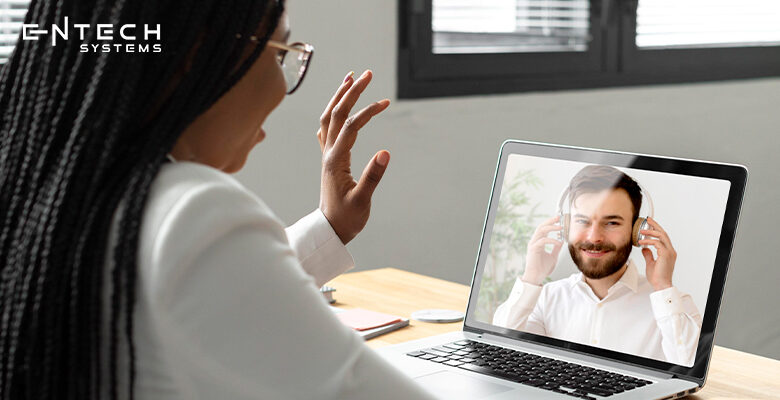

5 Ways to Use IT to Support Employee Mental Health

The mental health of workers is another issue of concern today in a dizzying world wherein things are driven by digitalization. Long hours of work, all-time connectivity, and heightened performance expectations translate to stress, burnout, or anxiety. Poor mental health—according to studies—goes a long way in taking a toll on productivity, absenteeism, and morale at workplaces. Most organizations acknowledge the importance of employee well-being, but the problem comes down to trying to implement solutions.  Technology can be an enabler to foster mental health and well-being within the employees. The IT solution can lend support, ease access to resources, and build a healthy working environment. Below are five avenues through which companies can utilize IT for supporting employee mental health. 1. Employee Wellness Applications Wellness applications can assist employees in improving their mental well-being and managing stress. Guidance and trainings for meditation, stress management activities, self-assessments of mental health status, and therapist matching are usually provided in these applications. Many organizations provide free membership to mental health applications like Headspace, Calm, and My Life to encourage employees to take some proactive steps in their well-being. As these applications are fused with corporate wellness programs, companies are creating a transmission point for a culture of mental well-being. These applications will be used to spend a few minutes in meditation, to mindfully focus, and to measure emotional states over time. 2. Virtual Counseling and Teletherapy Services Most of the activities that may be carried out by any employee of an organization are such that they cannot be acceptable to allure an employee into visit a therapist for any one of a few reasons: the time may be inconvenient for them, physical distance from the therapist in terms of sitting in a house by themselves with no one knowing that there is no stigma related to therapy, and costs. Virtual counseling and teletherapy services can also give a bridge into mental health professionals’ access. IT solutions can support mental health by enabling secure, confidential teletherapy sessions through platforms like Better Help or Talk space. Employers can integrate such services with their Employee Assistance Programs so that workers can easily access the professional support they need, whenever they may need it. 3. AI Chatbots for Mental health assistance Improve this: AI-enabled chatbots tend to be quite popular support systems for mental health in workplaces. This would generally permit most employees to anonymously receive immediate assistance in coping mechanisms, responses to queries concerning some common mental health-related issues, and directing individuals to appropriate resources. For example, discussion tools like Wys a and Woe bot use AI to delve into more serious topics with workers to assist them with stressful times or anxiety. These bots serve as an initial stage of mental health support without the need for any employee to feel as if they are already committed to professional treatment. 4. Enabling Remote Work and Flexibility Yet, the IT infrastructure inviting distant work has a direct bearing on mental health. In short, flexi timings remove the stress factors of traffic jams, not been able to devote time to ourselves and so on. Collaboration tools in the cloud like Microsoft Teams, Slack, Zoom, can keep the employees interconnected with minimal face-to-face meeting and without getting involved reluctantly in office politics, thereby maintaining their wellness. Promoting remote work and flextime policy can raise the level of wellness inside the workplace. Thanks to flexible arrangements, workers can alter schedules systematically to let mental well-being accompany their job satisfaction and productivity going up.  5. Workload Monitoring and Burnout Management IT can be further utilized to monitor employee workload and prevent burnout. HR analytics tools could help in evaluating performance levels of employees, their working hours, indicators of stress, and so on so as to pinpoint those with warning signs of burnout at the earliest. Likewise, Microsoft Viva, Workday, and other such platforms provide an indication of the work pattern, which will guide managers to make decisions based on data in providing assistance to well-being of workers.  Businesses can promote equality and balance at work for employees if IT can take the burden away from heavy workloads. By managing workload, it hence strategically cures some of the workload stress and psychosocial problems which could complicate into mental health conditions, in order to have more robust and engaged employees. Conclusion The truth at present is that mental health support in the workplace is no more optional but an imperative requirement. Organizations that utilize technology solutions to improve the well-being of their employees can create a productive and positive working environment. Such technologies include wellness apps; virtual therapy; AI-powered chatbots; flexible working policies; and workload analysis-all of which are effective and potent means by which the organization would seek a mentally sound workforce. Protecting mental health at workplace will not only help the employee but also will contribute to overall company development. IT-based mental health initiatives incoporated in the firm would ensure a higher level of satisfaction around employees, lower absenteeism, and a better culture of the workplace.

We're digital acceleration artisans, crafting tailor-made tech solutions that drive innovation, scalability, and competitive success from start to finish.

Copyright ©2025. All Rights Reserved.